Showing posts with label writing. Show all posts

Friday, June 1, 2012

Wacky Celestial Writing

Have fun writing something and then “galaxifying” it with My Galaxies. When you type a word, my galaxies replace the letters with the images of real galaxies that look like that letter’s formation. You can share your “words” with others, on social medias and even learn more about the galaxies used in your writing.

Tuesday, November 1, 2011

Blogs For Kids

“When thinking about “BLOGGING” , the untrained eye (in regards to blogging) of an educator usually will think of “Technology Integration”. When digging a little deeper he/she might recognize that blogging is more about WRITING than technology. But let’s roll blogging back even a little further and we will discover that blogging starts with READING!”
Silvia Rosenthal Tolisano

2011-11-01_1557

To get your kids in the habit of blogging, it is important for them to first subscribe to a number of quality blogs and read them on a daily basis. Below I have compiled a list of blogs and websites whose content may appeal to young readers. Encourage them to set up their own RSS readers and start following blogs and websites before they start writing their own blogs. Many of the sites are incredible as resources for education as well.

(Sometimes some of the content available on these sites may not be appropriate for Muslim children, like the news stories about actors and singers etc. , so make sure that adult supervision is available and children have a sense of what content type may not be suitable etc.)

NEWS SITES FOR KIDS

CBBC Newsround
BBC news site for kids and teens.

GOGO News
Big news for little people.

CNN Student News
Many discussions and quizes based on news. Can be doubled as a teaching resource.

Scholastic News
Complete in-depth reports and activities on the latest news for kids.

Time for Kids
Well it is just that! TIMES for kids.

News Bites from National Geographic
Some cool bits of news with National Geographic’s signature photography.

Youngzine
News + more for the young.

2011-11-01_1558_001

MAGAZINES FOR KIDS

National Geographic Young Explorers
A must must for young kids.

Bear Essential
Many past issues are available as well to read.

Beyond Penguins and Polar Bears
All about poles.

Children’s Web Magazine
A safe magazine for ages 8+

2011-11-01_1559

ANIMAL SITES

WWF News
Conservation news and stories.

National Geographic Stories

Zoo Borns
The newest and cutest exotic baby animals from zoos and aquariums from around the world.

MUSEUM AND OTHER SCIENTIFIC SITES

Science News for kids

Smithsonian Kids

Exploratorium Online

2011-11-01_1558

BLOGS BY OTHER KIDS

Miriam’s Magical Moments
Blog by a fourth grader. High content quality and nice blogging etiquettes.

Ibne Muhammad’s Blog
My son’s blog which serves as an eportfolio at the moment but we plan to make it more than that in future Insha Allaah.

Binte Muhammad’s Blog
My daughter’s blog which serves as an eportfolio at the moment but we plan to make it more than that in future insha Allaah.

Tuesday, October 18, 2011

Wacky Poetry Writing


2011-10-17_1553

Use this concrete poetry maker to write your own poems about nature. Use one of the shapes provided, or draw your own shape. Then use the words to write a poem about that shape. Have fun!

Monday, October 3, 2011

Worksheet Fun for October 2011


2011-10-03_1305

I have previously posted about Scott Foresman’s grammar and writing handbook. I have found another great grammar skills book from scholastics. Just click on “skill builders” for the grade you want (1-6 grades available) and save the PDF. It is free to use and you can even download the teachers’ manual with it.

Thursday, September 22, 2011

Techno Tools - Twine


Twine lets you organize your story graphically with a map that you can re-arrange as you work. Links automatically appear on the map as you add them to your passages, and passages with broken links are apparent at a glance. As you write, focus on your text with a fullscreen editing mode. Rapidly switch between a published version of your story and the editable one as you work. Twine is free to download and use, and you can share it with anyone you like.

The following videos will give you an idea of what twine is all about.

Creating A Simple Story from Chris Klimas on Vimeo.

Formatting a Story from Chris Klimas on Vimeo.

Finishing Touches from Chris Klimas on Vimeo.

Tuesday, September 20, 2011

Wacky Smoothie Writing


2011-09-20_1629

Whip up your own smoothies, with your own recipe. If you don’t have enough ingredients in the kitchen, then try making some smoothie in this interactive smoothie maker. (make sure to turn off the speakers by clicking on the speaker icon, otherwise the music starts as you blend your smoothie.) Once you are done, write down your recipe and share. You may want to use this graphic organizer  to write down your recipe. Happy smoothie-ing!

Thursday, June 30, 2011

Write a novel with Nanowrimo

2011-06-28_1241

NaNoWriMo or National Novel Writing Month takes place every November. Writers sign-up for the challenge through the NaNoWriMo’s website any time during the year but must write and submit the novel between November 1 and November 30 i.e. they have to write a novel in exactly thirty days which may sound over whelming but NaNoWriMo is there to help you with the process.

According to the website : “The thing that matters most in NaNoWriMo is output. Our high-velocity approach forces you to lower your expectations, take risks, and write on the fly. Make no mistake: you will be writing a lot of strange stuff, and some of it will be just plain bad. But that's a good thing! For 30 days, you get to lock that inner editor in the basement, let your imagination take over, and just create!”

Even if your young learners have never written a novel, you can still participate in this event. NaNoWriMo’s resources section contains free, detailed, and downloadable workbooks to take the budding writers on a detailed novel writing journey. The "100% Awesome NON-LAME workbooks" are highly recommended because they help writers learn about the elements of a novel and provide plenty of explanation in an engaging way. The workbooks are available for elementary, middle, and high school levels. NaNoWriMo also features tips from published authors, links to other writing challenges, and a blog-style section for event-related news.

Participating in the event is free and fun and although there are no fancy prizes to win but the satisfaction of completing the challenge is the real reward. Adults who sign up for the challenge have thirty days to write 50,000 words. Young writers under the age of seventeen are encouraged to choose their own challenging word count goal.

2011-06-28_1242

Even if your learners are not interested in signing up for the challenge, the resources available on the site are excellent to use. Check out the resources page and educators page for more helpful ideas. Also don’t forget to check out young writer’s page if your learners are younger than 13. I absolutely loved the Dare Machine and some of the lesson plans are very good too.

Monday, June 27, 2011

Techno Tools–AlQuran plugin for MS Word

2011-06-27_1032

Al Quran plugin for Microsoft Word is a useful tool when you are working with Quranic text. Download the plugin and when you want to write a Quranic verse in Word, just type the number of verse and name of sura and the verse will be inserted automatically for you. You can choose from Arabic text and translations in a number of languages. When working with the holy Quraan, it is important to make sure that there is no mistake in the actual text or in the translation. Using this plugin not only assures that the text and translation of the holy Quraan is correct, it can make proofing of your work easier and quicker, insha Allaah.

Wednesday, June 22, 2011

Wednesday Weekly Website–A Dog’s Life


A Dog’s Life

2011-06-20_1708

Review: A Dog’s Life is a superb interactive from Scholastic. It is based on a book of the same name by Ann M. Martin. This book is an autobiography of a stray dog named Squirrel. This site is choked full of stuff to explore. Younger kids can make the dog on the screen move, make him sleep, give him a ball to play, make him eat or drink or hear the author read excerpts from the book. Older children can read an interactive story about Bone, Squirrel’s brother, in Bone travels on who also appeared in the original book. Children can make choices for Bone which will influence the story. In Create a Tale they can think up a new adventure for squirrel or any other character in the book and write a story and illustrate it. Children can also learn about how the book was created and see many drafts from the author. They can read/listen about how the author started writing, learn the differences between human and doggy senses, find fun facts about dog paws, learn more about breeds of dogs, create their own hybrid breeds and a lot more. Even if you or your child haven’t read the book, you can still benefit from this website. There is no music which is a definite plus.

2011-06-20_1710

Suitable for ages: 3-12

Tuesday, June 21, 2011

Wacky Bookmark Writing

2011-06-20_1603

Do you think writing motivational sentences is easy? Think again! Motivational sentences can be so droll if not plain boring and quotes like “The only way of finding the limits of the possible is by going beyond them into the impossible.” often makes kids (and adults like me) go to sleep. So think about what will inspire you and write it down, make a bookmark with your quote with this bookmark factory and tah dah! enjoy your reading with a bookmark of your own design and words.

Monday, June 13, 2011

Worksheet Fun for June


2011-06-13_1235

Discovery Education has a wealth of worksheets at worksheets to go, made by teachers and categorized by subject and grade level. Check it out!

Wednesday, June 1, 2011

Wednesday Weekly Website- Switcherzoo


Switcherzoo

2011-05-31_1628

Review:Switcheroo Zoo is an awesome website for young learners to learn more about animals and wildlife. This is one of the “must see” sites to visit when studying animals and their habitats. Switcheroo Zoo has fun interactive games and activities such as “Make New Animals” where you can create your own animals (without the need to draw them), “Build an Online Habitat” where you choose animals and build a correct environment with vegetation and biomes, “Switch Zoo Puzzles”, “Where do I Live” where you help return rescued animals to their homes, “Sound Match” where you match the animal song to the correct animal, “Meerkat Grab-a-Snack” where you can help feed a Meerkat by catching food, and “Catch the Moment” where students take ‘pictures’ of wildlife, all the while reading interesting facts about animals. Switcheroo Zoo also has short films, sound clips, and photographs about animals for students to watch and listen to.  Young learners can become a “Switch Zoo Guide” by completing the Switch Zoo Quest for which they will play nine fun animal related games and activities to become a guide.  When they finish, they will receive a Switch Zoo certificate of merit and a guide badge. There is also an educational section that includes lesson plans for art, science, creative writing, and persuasive writing. To introduce children to online research, Switcheroo Zoo has on-site data with 142 animal profiles, a US endangered species map, and stories about unusual animal feats on a Zookeeper’s blog. In short, this site is packed full of fun, useful activities, lessons, and resources! and you can always take the learning further. For example, take the “Make new animals” activity. Kids can make all sorts of weird animal species, invent silly names for those animals, write a profile for these animals, decide what kind of foods they eat, and what enemies do they possess, what kind of environment is suitable for depending on their unique bodies etc. There is no music, a definite plus but the site contains ads so adult supervision is advisable.

2011-05-31_1629

Suitable for ages: 4-12

Monday, May 23, 2011

Wacky Turtle-ish Writing

2011-05-23_1240

Do you know today is world turtle day? Ever wonder what it would be like to be a turtle or a tortoise? Well imagination can help you here. Write a story from a turtle/tortoise’s perspective. Think about the wonders of living under a shell, or partaking a diet of jellyfish and microalgae! Learn more about turtles/tortoises from here before embarking on the journey and whip up a multimedia story with the help of this simple booklet tool. Have a look at my story below:

Tuesday, May 10, 2011

Art generator of May

2011-05-10_1338

Challenge the imagination and creative thinking of your kids with this superb resource, klowdz. When you enter the site, you're given a picture of some clouds. See what that cloud in the picture looks like. Is it a castle or a cottage, a flower or a cabbage! Then you set to work and use some different drawing tools to add detail to what you "see" in your clouds. Tools like furry lines, curvy lines, simple lines and chrome can also be adjusted for size and colour. If you're not happy with your creation, you can clear and start again. Can’t see a thing in the cloud? No problem! Just press the cloud icon and choose another cloud picture. You can save to your computer as a jpg, or join the site and save to their online gallery, which gives you a url to share with your friends. No joining necessary if you just want to play, and save to your own computer. There is also a gallery of drawings based on cloud pictures made by others. Don’t forget to follow up by lying with your kids on the grass and watch clouds drift by.

Sneaking in learning:  Challenging kids to recognise or imagine shapes in the clouds is not only fun, it also encourages creative thinking and develops their imagination muscles. If your kids are interested you can always write stories about the pictures you see in clouds. I would recommend keeping the pictures and stories inside the world of realm and not to encourage fantasy. For kids who like to play with photoshop or other such softwares, here and here are great tutorials on making cloudy letters. And to point out the obvious, it can be a great warming up activity when studying weather, water cycle, atmosphere etc.

Wednesday, March 16, 2011

Wednesday Weekly Website–Pete’s PowerPoint Station


Pete’s PowerPoint Station

2011-03-14_1121

Review: Find hundreds of PowerPoint resources and interactive activities for different age levels and varying subjects at Pete’s PowerPoint Station. Subject range varies from language arts, business and occupation, geography to chemistry and physics. You will also find training tutorials on a variety of topics as well as free clip art from Phillip Martin Cliparts. Take your time browsing through this site and you are sure to find some true gems. As there are practically hundreds of resources, I do not know whether there is music in everyone or not and if the contents are suitable for kids so make sure to check the resource before showing it to your kids.

2011-03-14_1122

Suitable for ages: 3-18

Thursday, March 10, 2011

Art Generator of March


2011-03-09_1122

City Creator is a fantastic applet letting you make cities, complete with buildings, roads, people and vehicles, from scratch. Choose from medieville (a medieval city), snoland (a city covered in a blanket of snow) and blankton ( a modern city center). For every selection you would be given backgrounds, buildings, roofs, people and vehicles and roads/walkways according to your selection. Building the town is an easy matter of dragging the pieces on the canvas. Once you have finished making your town you can save your work, print it, send it to a friend as an ecard, set it as a desktop paper for your computer etc., although you will need to register in order to do the above. Registration is free but requires an email address. Or if you do not want to bother about registering etc., you can just play with the tool, and take a screenshot of your created city.2011-03-09_1118

Sneaking in Learning: This tool can be great for plain fun. You can also use it when studying about medieval architecture and history, modern architecture, seasons etc. Use it as an illustration for your upcoming story or make a town setting and use it as a writing prompt. Try making math story problems based on your city. Challenge the kids to design a city which meets a particular standard etc.  This tool has a lot of potential for the creative mind.


Monday, February 21, 2011

Wacky Telescopic Writing Part 2

2011-02-21_1702

Remember Wacky Telescopic Writing? Now you can do it on your own. Make your very own expandable writing here, you can even save it and share it. If you are not sure how to do it, you will find a tutorial here. And don’t forget to see our example here.

Wednesday, January 26, 2011

Wednesday Weekly Website–Story Plant


Story Plant

2011-01-26_1206

Review: Story Plant is an activity in BBC Starship. A highly visual way for the young learners to see how a story “grows”. Basically you have to grow a story plant. Each leaf of the plant has different startups, scenarios etc. You have to choose one of the leaf and then water the plant to get more leaves. Your story grows with each sentence you choose and then after a while the plant stops growing. At this stage you can print what you have written to carry on “growing” it or start a new story. Although the scenarios used by the site are not very interesting and some of them are about magic and fantasy (which somewhat limits its benefit for Muslim learners), still this type of visualization let the learners understand how a story unfolds and what to include in their own writing. If your learner likes the idea, you can make a craft version of this activity by writing lots of scenarios, whats and ifs on petal shaped papers and let the children select the petals and glue them together to make their own story flowers. Ask the children to help you in preparing petals by providing ideas, scenes, characters etc. and in cutting or coloring of the petals. There are some musical sound effects so I would advise keeping the speakers off (which does not hinder in any way). Also take a look around the rest of Starship website where you will find some other interesting activities.

2011-01-26_1207

Suitable for ages: 4-8

Monday, January 17, 2011

Few Things To Do With Toys (part 1)

Toys are an integral part of a child’s life and there are tons of ways one can use them in learning. Here are a few ideas to incorporate learning in the world of toys. (There are ideas for different age groups, and if you have kids between 3 and 13 you may find something in here.)

Part 1 - Literacy with Toys

1. Adjective Detective

4187515011_abb54c12e0

Create personalities for toys. If it is a car, think if it is a lazy car or a speedy car. Think of the places you would go with this car. Talking about far away places may appeal to young imaginations but take care not to indulge in fantasies like a flying car or a talking magic car. Give your toys some character, a name and make a fact file about that character. Think of adjectives to describe its personalities, use those adjectives to make silly poems or try them in Arabic.


2. Write Stories

Write stories about toys. Since we don’t have stuffed teddies and animals as toys, it’s a bit more difficult to weave a story around them but we try! For example if my child chooses a car and wants to write a story about it, we think of things such as how it loves serving its master, how hurt it feels when its not taken proper care of, how it would love to be a real car and the places it would go. What it sees while resting on its shelf in the child’s room, what it thought about the latest turn of events like a fight between the brothers. The opportunities are endless. It would be infinitely better if you participate and write a story of your own as well.


3. Phonics Scavenger Hunts

Do toy scavenger hunts with your child. For example he/she has to find a toy beginning with each letter of alphabet/ starting with certain sounds etc. If you do not have that many toys, you can use pictures of toys from magazines etc. (I like to keep those grocery store promotional papers for this purpose). Equip your child with a digital camera to make hunt more interesting.


4. Make Books
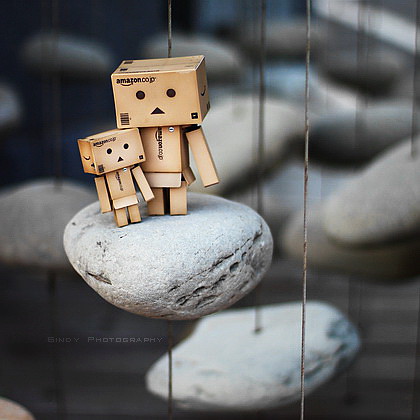
Make books with the pictures of toys. Older children can make caption books where they write a caption to each picture. They can also arrange toys in a scenario and then write simple sentences to explain the scene. They can also have a go at making chapter books if they wish. You can make an alphabet book or a number book for younger kids. For alphabet book you can use the pictures from the scavenger hunt and use simple tools like power point to put together your book. Or you can use sites like bookr to find images from flickr and put in your online book. Or make a non digital version where your child can paint/draw his toy or cut the pictures of toys from magazines. For number books you can take a picture of that many toys.


5. Describe and Draw
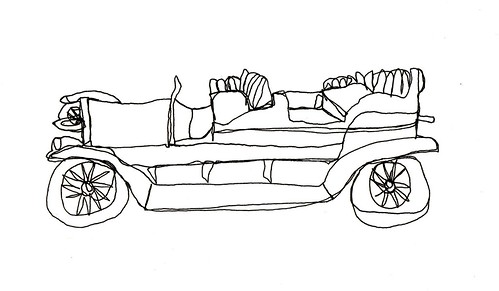
Collect pictures of toys from magazines etc. and team with your child. You both get a card and have to describe it so that the other person can draw it. Compare the originals with the drawn versions. (Please refrain from drawing the pictures of animated objects.) It is a great exercise for describing things verbally and practicing second languages like Arabic etc.


6. Persuasive Writing

6. Practice persuasive writing by choosing a toy and designing packaging or advertisement flyer for it. Brainstorm what to include in your packaging/ flyer, how to make it attractive without telling lies and even exaggerating. A good opportunity to educate your child about honesty in trade. You can even discuss the stories of salaf who practiced extra ordinary honesty in their trades. Designing the flyer in programs like publisher, paint, power point or even photoshop can let your child learn a lot of technical stuff.


7. Make your own
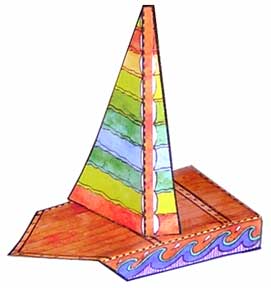
Make your own toys. Reading instructions and following them is a vital skill to learn, so learn them by making fun toys to play with. Use sites like The toy maker or AHC. Try writing something about your toy, like why you like it, how it works etc.


8. Figurative Language

Scratch Project

Have fun with personification. Personification consists of giving inanimate objects human traits. Choose a toy and write a sentence giving this toy a human trait. To make it more fun, illustrate your sentence using programs like tux paint or photo shop.


9. Stop Motion Animation

Older children can write a story about toys, and make stop motion animations for those stories. They can even make animations about Islamic etiquettes, morals etc. to educate a younger sibling.

Saturday, January 15, 2011

Art Generator of January

2011-01-14_1112

Fancy some sand art? Sand art is not always building sand castles on a beach. It can be sand bottles or sand painting or it can be online sand painting. Thisissand is a pretty amusing and addictive online sand painter. Totally web based, you just click any where on the screen and a fist full of sand will drop on the bottom of screen. Double click and the sand will keep on falling and you can drag your mouse around to “paint” with it. Click “c” on your key board and you will get a color picker. Pretty easy to use. There is something satisfying about the sand falling and filling up the canvas of the screen. Use your imagination to create works of art, use different hues of blue to represent a rough stormy sea, use delicious shades of pink and gold for a rosy sun set, or just get some plain wild fun with it.

Sneaking in Learning: Children can practice descriptive writing by explaining how to use this site, a sort of walkthrough for younger siblings or grandma. Discuss how this sand and the way it is filling is similar to or different from real world sand. Explore what happens when the cursor is too close to the filling landscape or held too high. You can use this site as a warm up when teaching gravity. Or for once, leave all learning aside and just play with it! If your child is totally smitten with sand painting you can try doing it in real world. If you live in south Africa you can try these products as well.

Related Posts with Thumbnails